
Run DC Sweep to plot V(vout) against the swept input. With R1 = 2 kΩ and R2 = 1 kΩ, the slope is one third and the 12 V endpoint gives 4 V.
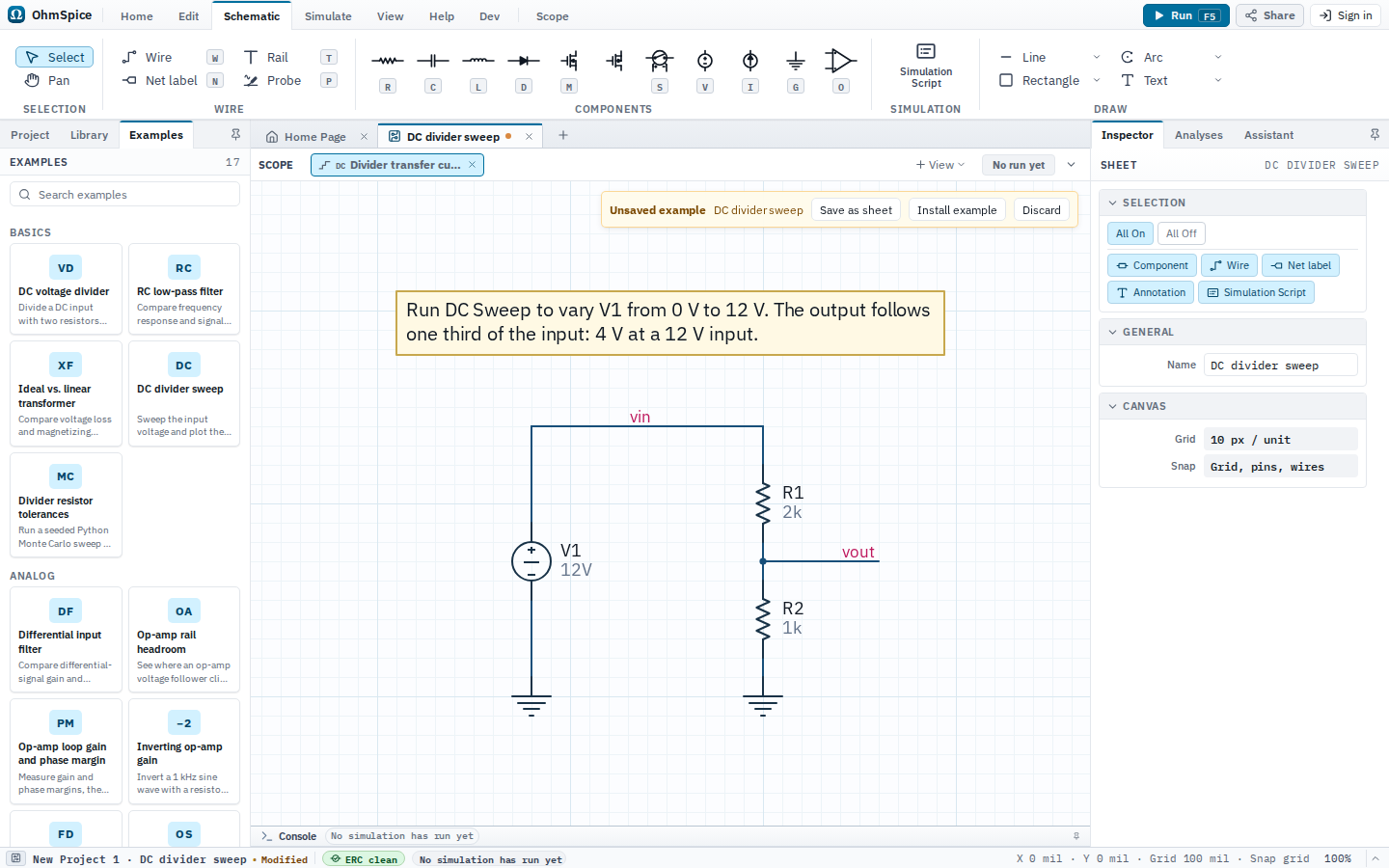
Open and run
- Open Examples from the Home ribbon.
- Choose DC divider sweep.
- Open Simulate and choose Setup to review the analyses.
- Choose Run for one analysis or Run All for the complete configured set.
- Select a matching Scope view after the run. Use Save as sheet to keep the example or Discard to close it.
Sheets, analyses, and Scope
DC divider sweep
Setup: Input voltage sweep
| Analysis | Configuration |
|---|---|
| DC Sweep |
|
Scope views and expected results
Divider transfer curve
Analysis: DC Sweep
Input and divided output
V(vin)V(vout)
Readouts
- Output voltageLast
V(vout)
Python scripts
No Python scripts are included with this example.