
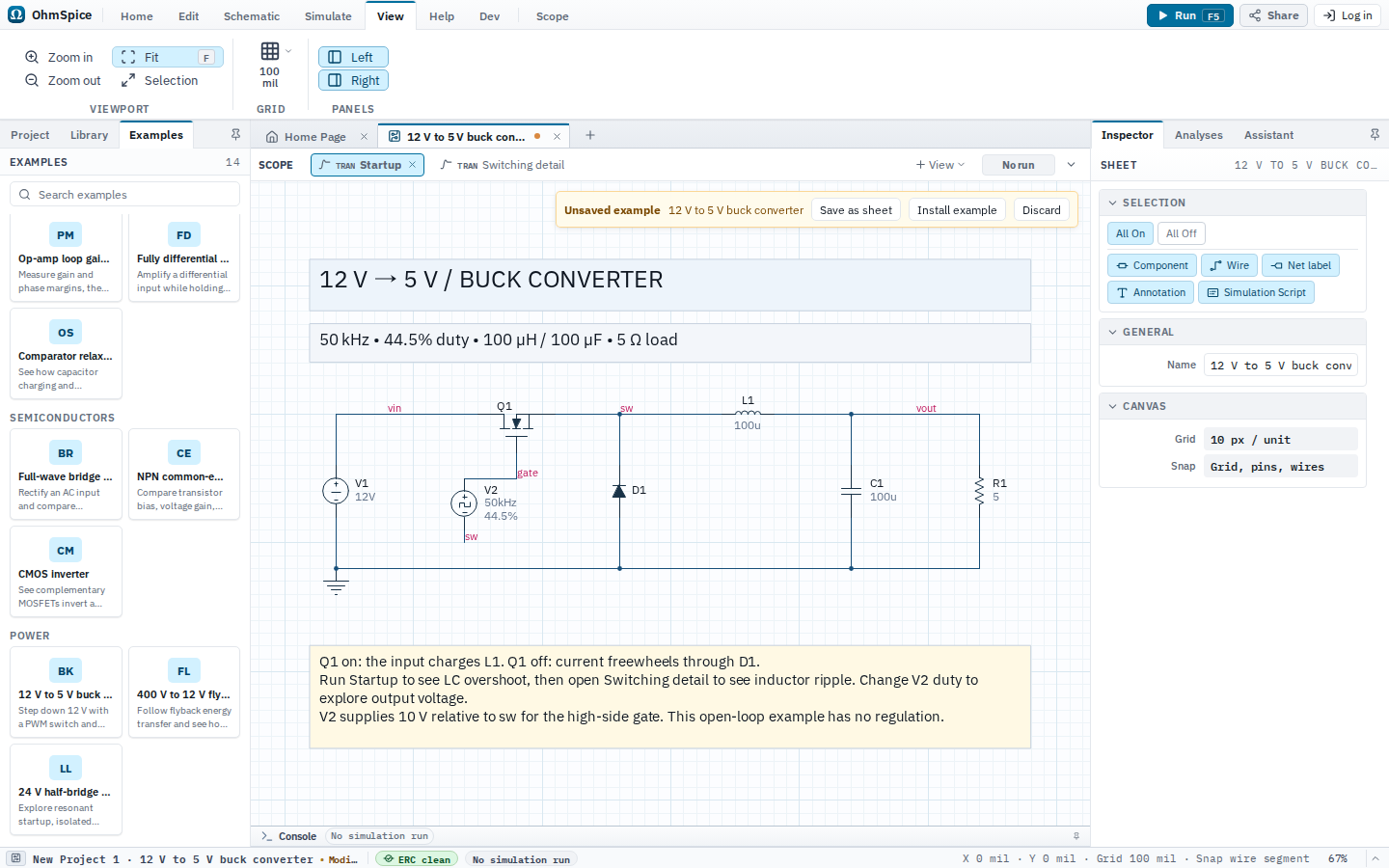
Open and run
- Open Examples from the Home ribbon.
- Choose 12 V to 5 V buck converter.
- Open Simulate and choose Setup to review the analyses.
- Choose Run for one analysis or Run All for the complete configured set.
- Select a matching Scope view after the run. Use Save as sheet to keep the example or Discard to close it.
Sheets, analyses, and Scope
12 V to 5 V buck converter
Setup: Startup
| Analysis | Configuration |
|---|---|
| Transient |
|
Scope views and expected results
Startup
Analysis: Transient
5 V output startup
- Output
V(vout)
Inductor current
I(L1)
Switching detail
Analysis: Transient
Output ripple
- Output
V(vout)
Switch node and gate drive
- Switch node
V(sw) - Gate-source voltage
V(gate) - V(sw)
Inductor current
I(L1)
Python scripts
These scripts are included with the example. Review trusted project code before choosing Run.
Load regulation sweep.py
Default sheet: 12 V to 5 V buck converter
loads = ["2.5", "5", "10"]
sheet = get_sheet("12 V to 5 V buck converter")
runs = sheet.sweep(R1=loads).tran("16m", start="15m", step="100n", max_step="100n", uic=True, save="V(vout)")

fig, ax = subplots(1, 1, title="Buck converter load regulation")
ax.set(xlabel="Time", xformat="time", ylabel="Output voltage (V)")

measurements = []

# Compare the final millisecond after the soft start has settled.
for load, result in zip(loads, runs):
    output = result.v("vout").window(start="15m")
    ax.plot(output, label=f"{load} Ω")
    measurements.append([f"{load} Ω", f"{output.mean():.3f} V", f"{1000 * output.pkpk():.1f} mV"])
    print(f"Load={load} ohm: {output.mean():.3f} V average, {1000 * output.pkpk():.1f} mV peak-to-peak ripple")

ax.table(columns=["Load", "Average", "Ripple p-p"], rows=measurements, loc="upper right")
fig.show()